
ENGINEERING NOTES / BERTH
An AI SRE That Cannot Touch Your Cluster: How Berth's Read-Only Agent Works
How Berth's read-only AI SRE for Kubernetes stays grounded on live cluster evidence, proposes fixes you review, and can change nothing on its own.
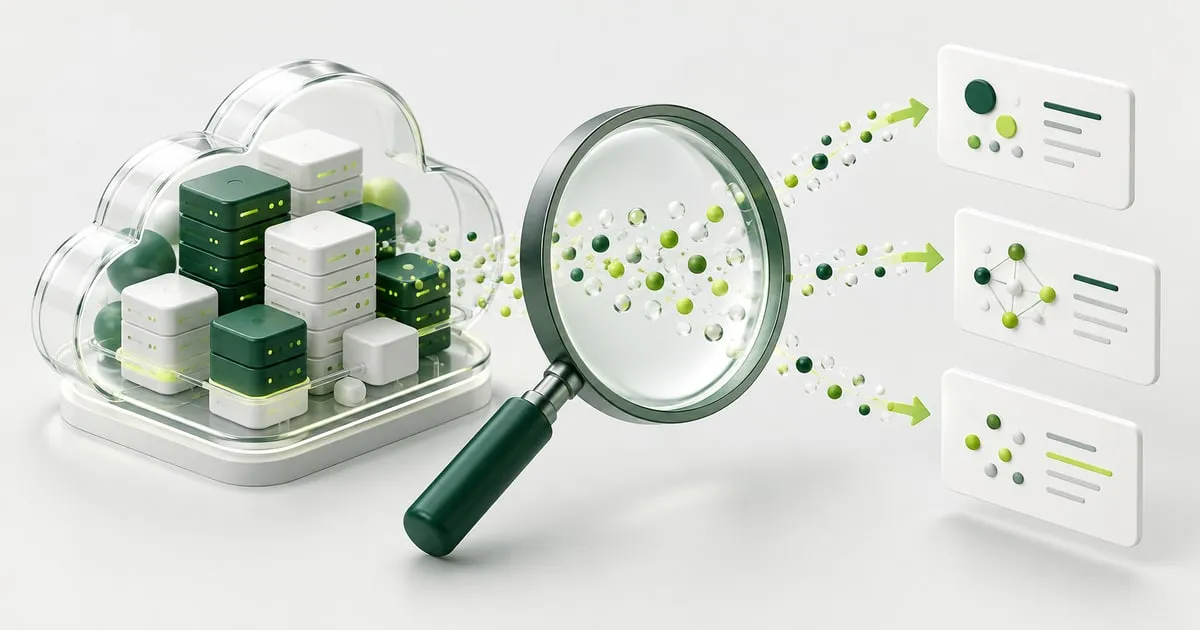
Ask a general-purpose AI assistant why a pod is stuck, and it will answer with confidence. It will describe a plausible cause, a common fix, and a tidy explanation. The problem is that it is answering from a training corpus of every Kubernetes cluster it has read about, not from yours. On a real cluster, a confident answer built from general knowledge is often confidently wrong. It cannot see that your node pool is cordoned, that a PodDisruptionBudget is blocking the drain, or that the workload was scheduled onto a spot node that just vanished.
Berth’s built-in AI SRE answers a narrower question with more discipline. It is grounded, so it reasons from your cluster’s live state rather than from generalities. And it is read-only by construction, so the worst it can do on a bad day is give you a wrong sentence, never a wrong kubectl apply. Those are the two design commitments this article is about. Everything else follows from them.
If you are new to the product, the introduction to Berth covers what the dashboard does before the AI enters the picture. This piece is about the agent, and specifically about why we built it to look at everything and touch nothing.
Grounded before asserting
The agent runs in-process inside the Berth binary. When you ask a question, it does not reply from memory. It gathers evidence with read-only tools and reasons over a cluster snapshot that Berth refreshes periodically, plus whatever resource you happen to be viewing in the dashboard. The system prompt makes the rule explicit: ground before asserting, answer the specific question that was asked, and use the fewest tools needed to do so.
That discipline shows up in how it handles certain questions. Ask whether a workload is highly available, and it will not eyeball a running pod and call it done. “Running is not highly available” is one of its operating principles, so it calls check_availability and looks at replica counts, anti-affinity, topology spread, and disruption budgets before it commits to an answer. Ask about an operator or custom resource it has never seen, and it does not guess the API shape. It discovers rather than assumes: list_api_resources to find what exists, then list_resources, then get_resource to read the specific object.
The payoff is that when the agent is missing evidence, the answer degrades honestly. If a tool is disabled or a permission is absent, the gap limits the answer instead of being papered over with a guess. You get “I could not read X” rather than a fabricated X.
Read-only by construction
The stronger commitment is the one in the title. The agent can look at everything the dashboard is allowed to see, and it can change nothing.
There is no path from the agent to a live cluster mutation. When it has a fix in mind, it does not apply it. It calls propose_remediation, which returns the change as a reviewable manifest or command for you to read, sanity-check, and run through your own process. There is an apply_remediation tool in the registry, but it is inert. It does nothing. The agent is instructed never to claim it applied a change, because it cannot.
This is a deliberate blast-radius decision. An AI SRE that can write to your cluster is only as safe as its worst turn, and its worst turn might be a hallucinated diagnosis or a prompt-injection payload smuggled in through a workload’s own logs or annotations. If the agent could act, either of those becomes an outage. Because the apply step is inert, a mistaken or hijacked turn produces at most a bad suggestion sitting in a chat window, waiting for a human who can reject it. The human is the actuator. The agent is the investigator.
A turn, step by step
Here is what happens when you send a question.
A request arrives at the in-process AI endpoint. Before anything runs, the spend guard checks whether this run is admissible under the configured budgets and limits; if it is, the run is admitted. The agent is grounded on the current cluster snapshot plus the resource you are viewing, then handed to the provider engine you have configured. That engine drives a tool-calling loop: the model asks for evidence, a read-only tool returns it, the model reasons and either asks for more or produces an answer. When the turn finishes, the result and its token cost are written to a usage ledger (who asked, which model, which tools, how long, estimated cost), and the output streams back to your browser.
Because the tool calls are visible, you can watch the agent work. An illustrative transcript looks like this. It is a stylised example, not captured output:
> Why is checkout-api returning 503 in the payments namespace?

call cluster_health()
  -> 1 workload degraded: checkout-api (2/3 replicas ready)
call get_events(namespace="payments", name="checkout-api")
  -> Warning BackOff: restarting failed container "server"
call get_logs(namespace="payments", pod="checkout-api-7d9c-abcde", previous=true)
  -> panic: dial tcp 10.0.4.12:5432: connect: connection refused
call propose_remediation()
  -> DRAFT (not applied): update checkout-api DB_HOST to the current
     Service ClusterIP; manifest below for your review
Nothing in that sequence writes to the cluster. The final step is a draft you decide what to do with.
The tools and what they can read
The agent works through a fixed set of read-only tools. The names are worth knowing, because they are what you see it call:
| Tool | What it reads |
|---|---|
cluster_health | Overall workload and node health summary |
list_nodes, list_pods | Node and pod inventory with status |
get_events | Recent events for a resource or namespace |
get_logs | Bounded log tails (opt-in, see below) |
describe_resource | Describe-style detail (opt-in, see below) |
list_api_resources | What API kinds exist on the cluster |
list_resources, get_resource | Generic listing and reading of objects |
check_availability | High-availability posture of a workload |
check_disruption_budgets | PodDisruptionBudgets and drain safety |
analyze_capacity | Allocatable versus reserved versus used |
analyze_workload_resources | Requests, limits, and right-sizing signal |
lookup_runbook | Matching runbook guidance |
recall_incidents, record_incident | Read and write the local incident memory |
propose_remediation | Return a fix as a draft for review |
Two boundaries matter more than the rest. First, the generic resource tools block Secret and ConfigMap contents outright. They expose limited metadata and replica counters, never the values inside a Secret or ConfigMap. The agent cannot read your database password because no tool will hand it over. Second, raw logs and describe output are disabled by default and require an explicit operator opt-in, because both can carry sensitive text a workload printed itself. Berth applies credential-pattern filtering to reduce accidental disclosure, but pattern filtering cannot guarantee that arbitrary text contains no secrets, so the honest posture is to keep raw diagnostics off until you have decided the tradeoff is acceptable.
Where your data goes
Grounding means the text the tools returned this turn (describe output, events, bounded log tails, resource YAML) is sent to the model that is doing the reasoning. Where that text goes depends entirely on which provider you configured.
With Ollama, the model runs on a server you operate, and nothing leaves your infrastructure. That makes the Community tier a natural fit for air-gapped and regulated clusters where cluster data cannot go to a third party at all.
With a cloud model, that same turn’s text goes to your own provider account: Claude via the Anthropic API, or Claude via Amazon Bedrock, under your own agreement and your own key. Berth calls the provider directly from inside your cluster. It proxies nothing, meters nothing, and adds no token markup. There is no Berth-hosted inference in the path. And because no tool ever reads a Secret, your Secret values cannot appear in the text that reaches the provider in the first place.
Tiers and gating
The provider split maps onto the tiers. Community gets local Ollama only. Enterprise adds the cloud Claude options on your own key.
Cloud access is gated by two independent conditions that both have to be true: authentication must be enabled (AUTH_MODE is not none), and a valid Enterprise license must be present. Those conditions are enforced in three places, which is deliberate defense in depth rather than redundancy for its own sake:
- At registry build, cloud providers are dropped from the engine registry entirely when the conditions are not met, so they are never wired up.
- At request time, a fresh per-request check runs again and returns
403with a reason if anything has changed. - At the spend guard, only cloud runs count against the token budget.
On a Community cluster, asking for a cloud provider returns 403, and the model picker shows Ollama and nothing else. The reason for the belt and suspenders is simple: an anonymous caller must never be able to spend your provider key. Requiring both authentication and a license, checked in more than one place, means a single misconfiguration or a single bypassed check does not open the door to your Anthropic or Bedrock bill.
Guardrails and the ledger
Beyond gating, the operator sets guardrails on how much the agent may consume: daily and monthly token budgets, a per-user rate limit, and a concurrency cap. Every run is written to a SQLite usage ledger that records who asked, which model answered, how many tokens it used, which tools it called, how long it took, and an estimated cost. Incident memory persists to the same kind of local storage. Both the ledger and the incident memory live on your own volume; they are your records, not ours.
One caveat deserves emphasis. Token budgets work by reserving an estimate before a run starts. A multi-round investigation can use more than the reservation predicted, so a budget is an admission control, not a guaranteed financial ceiling. Treat it as a guardrail that keeps casual usage in check, and reconcile the ledger against your provider’s actual bill. If you need a hard spending cap, set it with the provider’s own controls, where the ceiling is enforced on the account rather than estimated in advance.
What remains your job
Read-only removes a category of risk. It does not remove your judgment from the loop. A few responsibilities stay with you.
Check the diagnosis. A model can be misled by text in a workload, including text placed there specifically to mislead it, and a fluent explanation is not a correct one. The visible tool calls let you inspect the agent’s reasoning and re-run the same reads yourself, but seeing the work is not the same as proving it right.
Review suggested changes with your normal process. A proposed manifest is an input to your change workflow, not an exception to it. Read it, diff it, and apply it the way you apply anything else.
Keep your historical monitoring. A refreshed snapshot describes a moment, not a trend. It will not tell you that a node has been slowly leaking memory for a week, and it is not evidence that a node is safe to remove.
Restrict who can reach the dashboard. Berth is for trusted cluster administrators. All authenticated users share the dashboard’s Kubernetes permissions; per-user authorization is on the roadmap, not shipping today. Treat access to the dashboard as access to the cluster, because that is what it is. The install guide covers token auth, ingress, and TLS so that access stays in the right hands.
Why we did not ship auto-fix
It would have been easy to demo an agent that closes the loop and fixes things by itself. We chose not to ship that, and the choice is the whole point. An autonomous remediator inherits every weakness of the model underneath it, and in production those weaknesses are outages. A read-only agent that proposes and explains, backed by a human who decides, keeps the leverage of an AI SRE without handing it the keys.
If you want that model running against your own clusters, and if hands-on operation is more your speed, our managed DevOps service uses the same evidence-based approach with an on-call team behind it.
Berth’s Community tier is free, single-cluster, and includes the local AI with your own Ollama server, so nothing leaves your network while you evaluate it. Grab a free Community key and try the read-only agent against a cluster you already run: start with Berth.
SEE IT ON YOUR OWN CLUSTER
Berth: a Kubernetes dashboard
you run yourself.
Endpoint health, capacity planning, and a read-only AI SRE. Free for small clusters, no phone-home. Discuss your Kubernetes security and architecture with CloudGuys.
Get a free Community key ↗ Talk to CloudGuys ↗